Print Smarter™ with enterprise workflow solutions from Solimar.
We specialize in optimizing data & documents for multi-channel production distribution.
Rubika® - Post Composition

Rubika System Modules

Expand All  |  Collapse All


Engineered by Solimar, Rubika is a modular document re-engineering system. The modules can be configured in many combinations to automate manual processes, enable postal savings, add value to documents, and modify print data on-the-fly at run time.

Expand Module
2-Up Module

Rubika - 2-Up Module

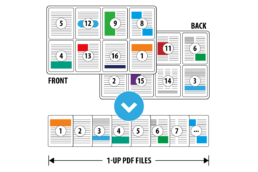
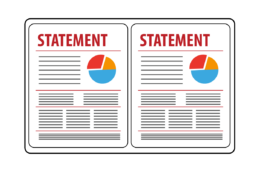
Rubika® is able to adjust the layout of the output data so it is formatted in "2-up" fashion, where two logical sheets are arranged to print on one larger physical sheet. For instance, you might render US Letter and A4 documents in a 2-up scheme on US Ledger or A3 media, respectively.

The 2-Up step can arrange the sheets in the input data (also referred to as "sheetlets") on the larger output media using two different methods: Sequential and Stacked.

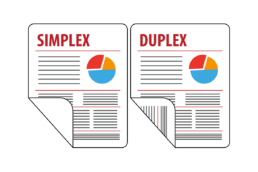
  • Sequential - The 2-Up step arranges the input sheets on the output media so that the left side of the front is an odd sheetlet number and the right side of the front is the next even sheetlet number. The back side of the output sheet is set up to match appropriately: if the input data is duplex, the original duplexing is reproduced; if the input data is simplex, the back side of the output sheet will be blank.
  • Stacked - The 2-Up step arranges the input sheets on the output media so that the stack of input sheets is divided by two. Sheets 1 through n/2 render on the left side of the output stack and sheets (n/2)+1 through n render on the right side of the output stack, where n is the total number of sheets to be presented in 2-up fashion. The back side of the output sheet is set up to match the original plex of the input data.
  • Output is typically formatted as 2-Up to accommodate printer and finishing equipment requirements.
  • Formatting output as 2-Up on larger paper can also be used as a way to reduce printer click charges and paper usage.

Expand Module
Accounting/Archive Assistant

Rubika - Accounting/Archive Assistant Module

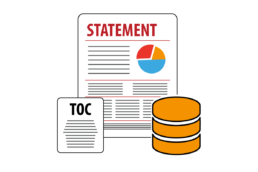
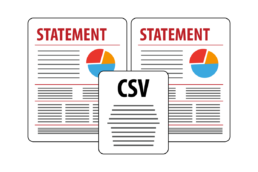
Rubika® is able to create a "table of contents" for files to facilitate adding them to an archive repository. This table of contents is a separate text file (commonly CSV) that associates the file, a range of pages in the file, and fields containing indices and other text describing the content of the file. Many legacy archives do not provide a robust method to isolate and index content of external files and Rubika's Archive Assistant can facilitate this process.
Expand Module
Address Cleansing/Sorting

Rubika - Address Cleanse/Sort Module

Rubika® is able to extract content from documents to be fed into address cleansing and sorting software. The address cleansing and sorting software cleanses the addresses and the updated information is re-imported into Rubika. Rubika updates the document with the corrected address information and separates undeliverables out of the mailing. The sub-documents are sorted in postal (zip) order using external business logic based on the extracted information. Common business process improvements that this feature offers include:

  • Data cleansing and sorting can be done downstream at run-time
  • Cleansing and sorting can be done on formatted content without needing to access the original composition software or database
  • Supports co-mingling of documents into single postal run
  • Can be staged with postal sorting
  • Supports reverse order of print
  • Enables great potential for postal savings
  • Increases delivery success

Expand Module
Annotation Stripper

Rubika - Annotation Stripper Module

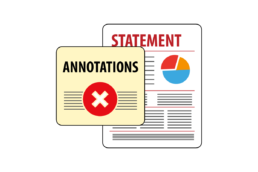
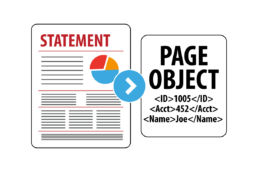
The Annotation Stripper Module is designed to augment workflows where metadata is needed to control workflow processing rules or document access, but this information is not intended to be available to end-users.

The Annotation Stripper enables:

  • Selectively removes metadata from print streams after it has been used to fulfill processing rules
  • Creates an external file containing the metadata that can be used to control downstream processing rules and document access, but have the metadata information not be available to end-users

Expand Module
Assembly

Rubika - Assembly Module

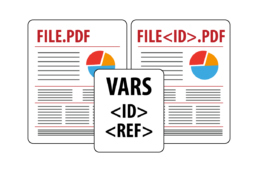
Rubika® is able to assemble multiple PDF files that are listed in a CSV file. It gathers file name and path information from the fields in the CSV file and concatenates the PDF files into one output file. Information from the CSV file can also optionally be used to generate table of contents pages placed at the beginning of the output file.

  • Automates PDF document duplication and concatenation to form larger production files
  • Dynamically assembles PDF documents from a storage library based on the contents of CSV input files
  • Integrates with external processes to control assembly rules
  • Can duplicate input file to support workflows such as generating template check stock which is then serialized with check numbers or duplicating tests for distribution to classes within a school system

Expand Module
Barcode, OMR, Text

Rubika - Barcode/Marking Module

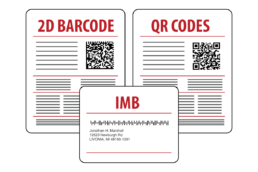
Rubika® produces content to support inserter controls (barcodes and OMR) as well as text for addressing letters or providing other human readable messages.

Based on document content and page counts, Rubika applies:

  • OMR marks
  • Datamatrix barcodes
  • Text (marketing messages, sequence numbers, etc)
  • Linear barcodes, including:
    • Intelligent Mail® Barcode (IMB)
    • 3of9
    • Interleaved 2of5
    • Interleaved 2of5 Mod10
    • Postnet
    • USPS Postnet
    • Code128
    • Royal Mail 4-state
    • PDF417

Expand Module
Barcode Reader

Rubika - Barcode Reader Module

The Barcode Reader Module provides the ability to read barcode content from the output allowing you to interpret and index the content of graphical barcodes. The information encoded in barcodes can then be used to control production workflow steps such as:
  • Replace older barcodes with updated barcodes needed to support downstream finishing equipment
  • Update existing barcodes with additional information while retaining the original barcode content
  • Control processing logic that automates production workflows
  • Control other types of print stream modifications, such as adding electronic inserts or underlays
  • For full-color print devices, set up a workflow where Rubika reads the barcode and adds electronic inserts, thus eliminating pre-printed inserts previously added by inserters
  • Interpret OMR marks using logic based on the presence or absence of marks
  • Detect whether a page region is blank making it possible to Trigger events such as transpromotional marketing based on available white space in a page region

Expand Module
Book Block

Rubika - Book Block Module

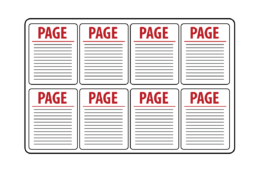
Rubika® is able to arrange duplicates of a single page image in an n-up fashion on an output sheet using the Book Block Module. Each output sheet contains n duplicates of the same page image. This Module is typically used to support print on demand (POD) applications, and its output can be used with continuous feed, cut sheet, and wide-platen printers. The printed output is then manipulated by finishing devices; for example, it might be cut and bound into a book.

Expand Module
Concatenation

Rubika - Concatenation Module

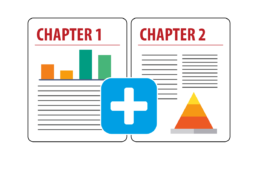
Rubika® is able to append multiple data files together. Applications for this capability include:

  • Assembling multiple chapters of a manual
  • Producing larger files from many small reports to improve printing efficiency
  • Collating files containing information common to a particular set of criteria

When concatenating, Rubika does not change the order of the content in the files, it simply appends the files together in a logical order. Rubika processes all files matching the File Mask in the Input Directory in one process step.

Rubika concatenates files in the following orders: alphabetical (A to Z, 0 to 9), FIFO (First In First Out), or LIFO (Last In First Out).

Expand Module
Data Import/Export

Rubika - Data Import/Export Module

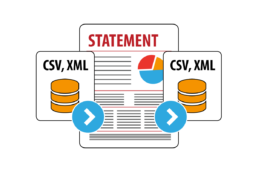
Rubika is able to export content from documents to feed external data manipulation routines and then import the updated content for use with subsequent Rubika Modules. The Import/Export Module provides great flexibility in that the exported CSV data can be modified by any external routine clients define to meet their workflow requirements.

Examples of common business process improvements that this module enables include:

  • Sort data based user-defined routines
    • Based on zip codes, delivery points, piece weights, alphanumerical
  • Insert additional content and flag records to control downstream processing rules
    • Deletion of records/pages
    • Segmenting output
    • Insert PDF codes to link to external files, video, web links, marketing messages
  • Integrate with external databases
    • Update external databases with indexed document information
    • Update and insert Rubika variables with external database content
    • Facilitate interaction with ADF workflow processes

Expand Module
Delete/Replace Pages

Rubika - Delete/Replace Module

Rubika® is able to remove or replace pages from reports. Some common uses for this are:

  • Deleting banner and/or trailer pages from reports that don't need to be printed or saved with the documents
  • Replacing a page containing outdated terms and conditions with a new page containing revised text

Expand Module
Encryption

Rubika - Encryption Module

The PDF Encryption Module encrypts PDF output using 128-bit AES encryption compatible with Adobe Acrobat 7 and later. This helps companies support compliance initiatives where resource and document security is important to control for resources and files at rest. The module supports setting both the User and Owner passwords (also referred to as the Permissions Password or Master Password) for the document and setting the document handling permissions supported by the PDF standard. The passwords can be static or set dynamically based on content extracted from the print data, metadata or from an external source.
Rubika also supports processing encrypted PDF documents by applying the PDF password as files are processed to decrypt them. This enables files and resource libraries at rest to be encrypted and then be unencrypted at run time as they are referenced. Furthermore, the security options set in the step can only be changed by a user who enters the correct owner password.

Expand Module
Finishing Commands

Rubika - Finishing Commands Module

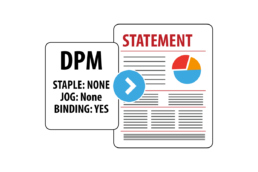
Rubika® is able to add finishing commands to files based on page numbers or indexed page content. The output can be printed on PostScript, IPDS or Metacode printers by the Solimar® Print Director™.
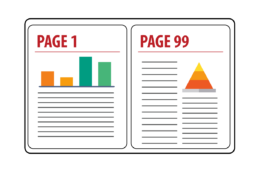
Common business process improvements that this feature offers include:

  • Adding finishing to files that require media or plex selection
  • Offsetting concatenated content

Expand Module
Imposition

Rubika - Imposition Module

Rubika® supports the imposition of input files to a 2-up saddle stitch output format. Input files are arranged in multiple pages on one or more sheets of paper prior to printing so that the finished output forms a book or booklet where the sheets are typically folded in the center to form a booklet and the center is typically stapled to hold the booklet together.

  • Automatically orders input pages based on total pages in the file or the number of pages in each sub-document
  • Supports "Creep" or "shingling" to incrementally shift the sheetlet images so that the images on each inner sheet are slightly closer to the center of the booklet (the fold) than the previous outer sheet to accommodate for the fold of the printed output
  • Automatically pads output with blank pages when needed to complete booklets
  • Supports applying finishing information such as Plex, tray selection, Media Color, Media Type and Media Weight to the imposed output
  • The N-To-One step can be used to reverse the page ordering of each sub-document or the entire file prior to processing in the Imposition step
  • Cut marks and other marking associated with trimming and folding the document can be added using the Underlay step prior to imposition

Expand Module
Insert Pages/Messages

Rubika - Insert Pages/Messages Module

For various workflows it may be desirable to determine if there is room on a page to add content. Related to TransPromotional type workflows this is often referred to as white space calculation. Rubika® enables users to build workflows based on the white space availability determined from content on the page. Rubika can also create white space on the page by opaquing content so it can be dynamically updated with new content.

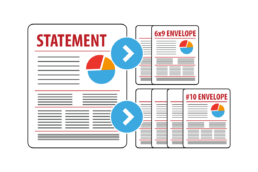
Rubika is able to add sheets to documents dynamically. Reasons for adding sheets to a document include:

  • Creating address pages for larger 'flat' envelopes
  • Adding marketing messages or legal terms and conditions
  • Adding tabs to manuals

Expand Module
Mask Information

Rubika - Masking

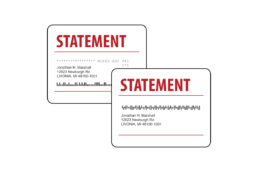
Rubika® supports the placement of opaque rectangular regions on a page. Commonly, Rubika uses a white rectangle to conceal barcodes or OMR that might not be suitable for a particular inserter. Rubika can then apply new barcodes, OMR, and sequence numbers on top of the opaqued region.

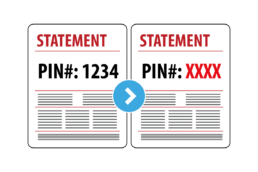
Masking can be applied to visually hide confidential or sensitive information such as Social Security Numbers and PIN or account numbers. Rubika can then apply i.e. XXX-XX-XXXX on top of the opaqued region.

Expand Module
Merge

Rubika - Merge Module

Rubika® can merge files and sub documents together based on indexed content. Rubika's file merging is not simply concatenating files, but is grouping related information from multiple documents together to create a consolidated document. Typically, users start with a "master" file and one or more "detail" files containing content they would like to merge into the master. Content within the master file, such as an account number, would associate content among the files. The merge step extracts pages containing matching account numbers from the detail files and weaves them into a new version of the master document adjacent to each other. This module can eliminate manual collation tasks and reduce mailing costs by consolidating content into one envelope. Some business process improvements are:
  • Householding, consolidated mailings
  • Document assembly / automated collating
  • Inserting variable marketing messages
  • Reduced manual labor
  • Reduce mailing costs

Expand Module
N to 1

Rubika - N to 1 Module

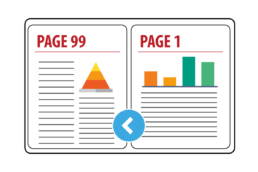
Rubika® is able to reverse the order of the output pages where the output is delivered in descending order-the last page is first in the stack, and the first page is last using the N to 1 Module. This is typically used to accommodate finishing equipment such as an inserter or a stitching device.

  • Reverses the pages of the entire file to output pages in descending order
  • Reverses pages within individual subdocuments, statements or reports while maintaining the overall order of each sub-document in the file.

BENEFIT FOR CONTINUOUS FEED USERS

For print centers with CF devices, this module this prevents the need to un-wind the output to another roll in order to reverse it for finishing. Un-winding rolls can take up to an hour per instance of labor and deferred time to finishing. The Nto1 Module saves companies thousands of hours and dollars and helps assure SLA's by getting the output to the finishing equipment sooner.

Expand Module
Overlay/Underlay

Rubika - Overlay/Underlay Module

For various workflows it may be desirable to determine if there is room on a page to add content. Related to TransPromotional type workflows this is often referred to as white space calculation. Rubika® enables users to build workflows based on the white space availability determined from content on the page. Rubika can also create white space on the page by opaquing content so it can be dynamically updated with new content.

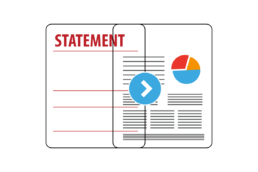
Rubika can conditionally insert form (opaque) overlays or (non-opaque) underlays or watermarks to pages of documents based on variable index information. The workflow process improvements for this are:
  • Masking confidential content
  • Replicating pre-printed stock so reprinted or viewed reports look like original printed copies
  • Adding conditional marketing and legal messages
  • Fill white space with content
  • Adding variable logos and pictures

Expand Module
Scale/Shift/Rotate

Rubika - Scale/Shift/Rotate Module

Rubika® is able to adjust the size and position of page images by scaling, shifting, and/or rotating page images in the data to meet various formatting requirements. Applications for this capability include:
  • Shrinking and offsetting the page images to create room for barcodes or insertion device control codes close to the edge of the output to prevent overprinting or other interference with existing data.
  • Shifting, offsetting or shingling the page data in the input document in an alternating fashion to meet binding requirements.
  • Scaling (bigger or smaller) and shifting content around a page to fit the physical media.
  • Supports enlarging output to support mandates for providing large print (16 pt or higher fonts) for the visually impaired.
  • Rotating certain page images from their original orientation.

Expand Module
Segment/Split

Rubika - Segment/Split Module

Rubika® is able to break files into multiple smaller ones using two methods: Segmenting and Splitting
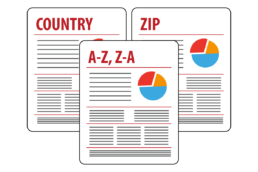
When segmenting, Rubika separates a file by extracting "reports", indexed sub-documents, based on the number of sheets and/or the postal delivery (zip) code for each report. Segmenting extracts and groups reports with similar sheet totals or zip codes. Adjacent reports in the output may not have been adjacent in the input file. Segmenting enables:

  • Routing output nearest to the delivery point
  • Handling output on an appropriate finishing system or inserter based on the number of sheets the device can accommodate

When splitting, Rubika separates the file based on page, sheet or report counts. Splitting chops a file into multiple files in a serial manner. Adjacent pages in the output were adjacent in the input file. Splitting is commonly aligned to indexed report boundaries so that files containing personalized documents are split into many new files with one new file for each personalized document within the original job. Splitting enables:

  • Distributing production across multiple devices
  • Isolating content that must be individually processed or stored

Organizations all over the world trust solutions from Solimar Systems